
Yodel Event Aggregation Module

Yodel aggregates all local events, making your site the go-to community calendar—with no manual work required.
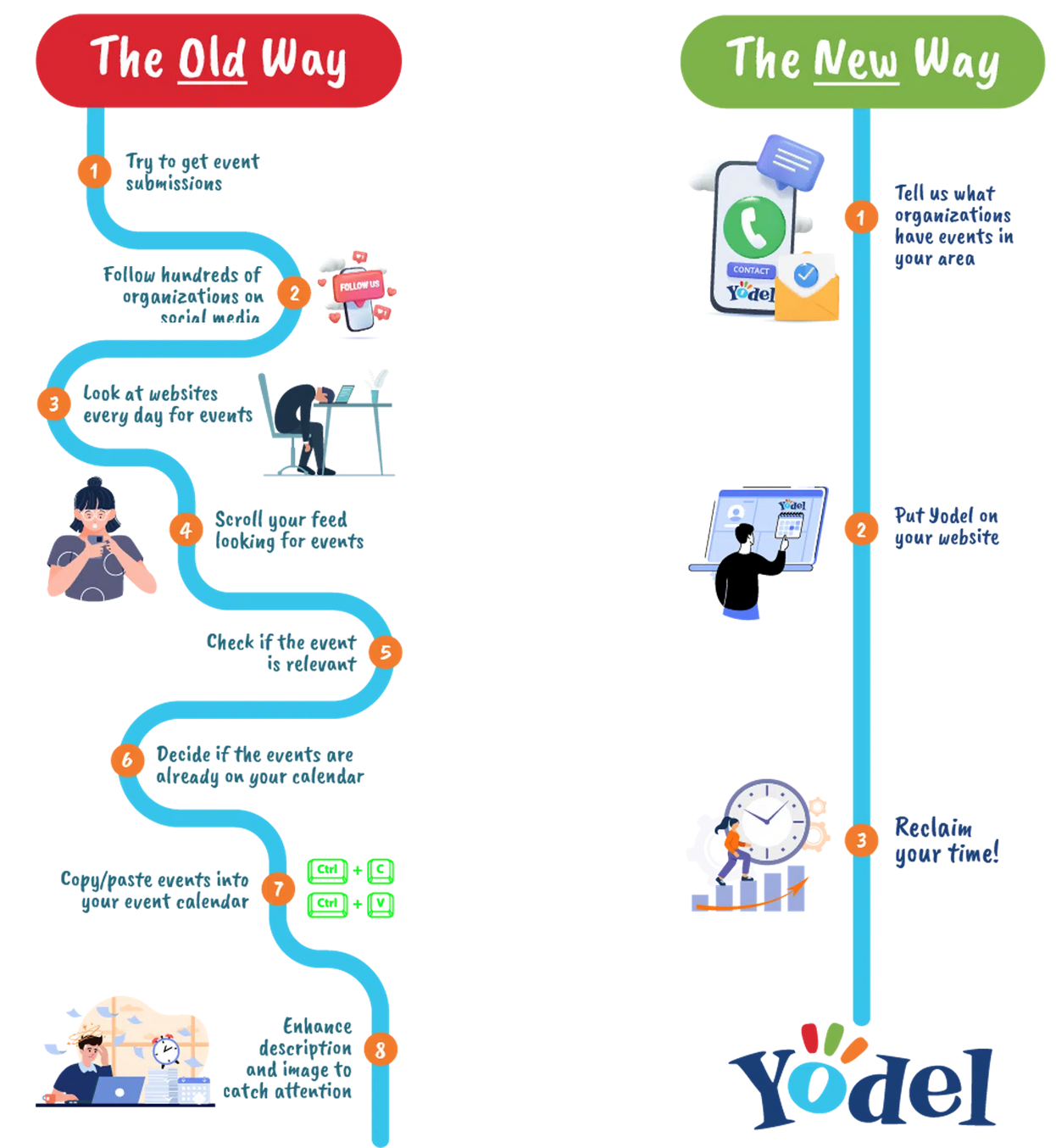
If you want to fully automate the listing of events in your community—beyond what Chamber Nation’s built-in calendar already provides—Yodel is the most efficient and scalable solution. Instead of manually adding events one by one, Yodel automatically aggregates local events from multiple sources across the web, including search engines, Facebook Events, and other social media and event platforms.
Once Yodel is configured, it continuously scans and collects event data from your area and synchronizes it with your website. This means your community calendar stays updated in real time with minimal effort from your team. With a single setup, you can transform your website into a comprehensive hub for local activities, making it easier for residents, businesses, and visitors to discover what’s happening in your community.
By centralizing events from multiple platforms into one unified calendar, you not only save time but also improve visibility, engagement, and user experience. Your website becomes a reliable, always-up-to-date source of information—without the ongoing administrative burden of manual updates.
In addition to Yodel, you can also integrate dedicated event platforms such as Eventbrite, a robust and widely used community-focused event management system. Eventbrite integration allows you to pull in professionally managed events, ticketed experiences, and community gatherings, further enriching your calendar and expanding the reach of your event listings.
With Yodel's Subscribe Feature, your calendar can now:
- Automatically collect new subscribers from your widget
- Send weekly emails highlighting your featured events
- Keep your audience engaged without lifting a finger!
This is your chance to make sure no one misses important events and to build a direct connection with your community.
See how it works here:
https://yodelsupport.zendesk.com/hc/en-us/articles/40505259005332-How-the-Subscribe-Feature-works-on-Yodel-Widgets